


Direct Chat & Messaging
4.5310.00 Reviews
App Specs
- Version
- 1.0.21
- Updated On
- License
- Free
- Downloads
- 10,000,000+
- Developer
- Longnine
- Categories
- Productivity
- Platform
- Android
Screenshots
 Analysis by AppCompare
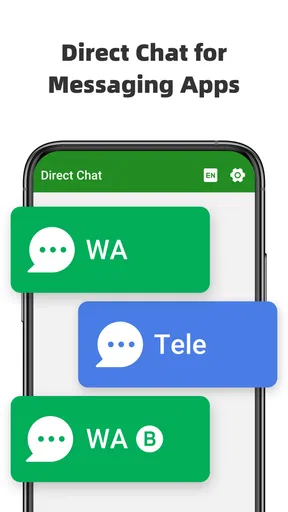
Messaging is usually quick only after the annoying part is over: saving a number, waiting for the contact list to refresh, finding the right account, and then opening the conversation. Direct Chat & Messaging is built around removing that repeated setup. It is a free productivity app from Longnine that lets me start a chat without saving a contact, while also supporting two WhatsApp accounts on one device. That combination makes it more practical than its very short store description suggests.
After spending time with it, I see the app as a small utility rather than a replacement for a full messenger. Its value appears in the moments when I need to send one message, check a number briefly, or keep personal and work conversations separated. It is not trying to organize my whole communication life. Instead, it cuts out the contact-book step that often feels unnecessary and gives people with two WhatsApp identities a simpler way to manage them.
Why skipping contact saving can make messaging noticeably easier
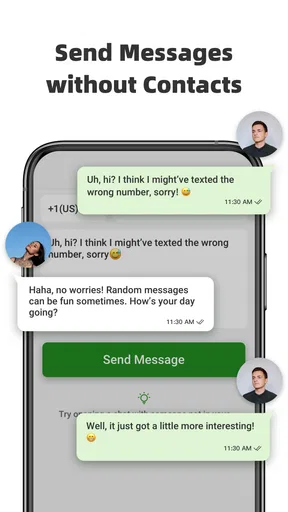
The recurring problem is simple: not every conversation deserves a permanent entry in the address book. A delivery driver, a seller, a repair technician, a short-term client, or someone arranging a one-off meeting may need to be contacted once and then never again. Saving each number creates clutter, and deleting those temporary contacts later is another task that is easy to forget.
That is where Direct Chat & Messaging makes sense. Instead of treating the phone book as a required middle step, it focuses on opening a conversation directly. In everyday use, that saves more time than the actual typing. I do not have to invent a contact name, wait for synchronization, or remember to clean up the entry afterward.
The benefit is especially clear when I am working from a number copied from an email, a note, an online listing, or a conversation in another app. A normal workflow often involves copying the number, opening Contacts, creating a record, waiting for the messaging app to recognize it, and then searching for the person. A direct-chat utility shortens that chain to the action that matters: starting the conversation.
There is also a privacy and organization angle, although I would not treat this as a privacy tool by itself. Keeping a temporary number out of my address book means it does not become part of every device and service that synchronizes contacts. That reduces address-book noise. It does not, however, change how the messaging service handles the conversation, so users should not confuse fewer saved contacts with complete privacy.
The first setup is useful when I decide on a consistent routine
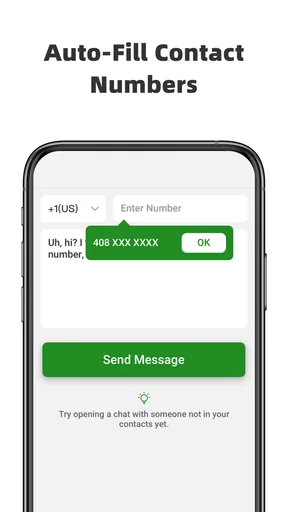
The app is easiest to appreciate when I use it as a dedicated entry point rather than opening it only after I have already saved a number. My practical routine is to copy the number first, open the utility, enter or paste it, and begin the chat. That sounds minor, but repeating the same sequence prevents the app from becoming another icon that I forget exists.
Worth Reading Before You Choose

EA SPORTS FC Mobile 26 Is a Bigger Football Game, but It Takes Time

Flipboard Shows What News Apps Must Do Beyond the Feed

Switching to Android Auto Means Rethinking Your Driving Routine

Google Calendar Makes a Crowded Week Easier to Manage

Ludo King Makes the Most of the Minutes Between Plans

Baby Panda World Brings Quick Play to Modern Phones, but Its Game Library Feels Busy
Numbers deserve a little care before starting. I need to include the correct country code when contacting someone outside my own region, and I should check for stray spaces or punctuation if the number was copied from formatted text. A direct-chat app can remove the contact-saving step, but it cannot correct a wrong number or make an unavailable account answer.
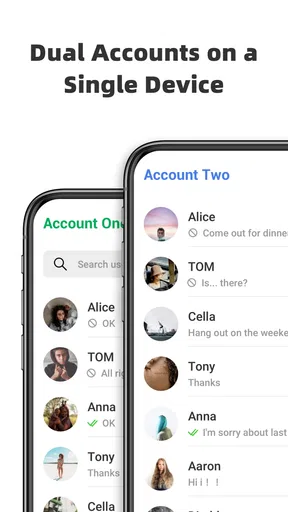
The second part of the setup concerns the dual-account feature. People who use one WhatsApp account for personal conversations and another for work, study, or a small business can use a single device instead of constantly switching phones. The important trade-off is that two accounts still require two properly usable accounts; this app does not eliminate the underlying account requirements. It simply makes the single-device arrangement more convenient.
I would also take a moment to decide which account should handle which kind of conversation. A direct shortcut is most helpful when it removes hesitation. If I have to stop and wonder whether a number should go to my personal or work identity every time, the convenience disappears. Clear labels, separate routines, and a little discipline make the dual-account approach much less confusing.
Where the app fits into an ordinary day
Imagine arranging a furniture delivery. The seller sends a number through a marketplace chat and asks me to confirm a time on WhatsApp. I do not want that number permanently mixed with family, friends, and regular services. With this utility, I can move from the copied number to the conversation directly, confirm the appointment, and leave my contact list unchanged.
A similar situation comes up with a short-term work request. A client may need a quick answer before a project begins, but the number does not necessarily belong in my personal contacts. Starting the chat without saving it keeps the address book focused on people I expect to contact again. If the relationship becomes ongoing, I can still save the person later in a deliberate way.
For people who sell items locally, the workflow is even more obvious. Online listings often generate several conversations with people who may never follow through. Saving every interested buyer creates a pile of names with little meaning. Direct access lets me handle those conversations as temporary exchanges instead of turning each inquiry into a permanent contact record.
The dual-account side is useful in a different way. A freelancer may want personal messages kept apart from client conversations, while a student may separate family communication from a campus or project account. A small shop owner can also benefit from keeping customer messages distinct from private chats. The app does not create a full customer-management system, but it can reduce the friction of having two identities on one phone.
One less obvious use is handling numbers that arrive in batches. If I am coordinating several people for an event, I may need to contact each person once without filling my address book with temporary entries. The app becomes a lightweight bridge between a list of numbers and individual conversations. I would still verify each number carefully, because the speed advantage makes it easier to send a message to the wrong person if I rush.
What it removes, and what it cannot remove
The strongest improvement is the removal of unnecessary contact management. I no longer need to create a placeholder name, wait for the messaging app to notice a new contact, or later decide whether that entry is worth keeping. That is a genuine reduction in friction, especially for people who communicate with many temporary contacts.
It also separates two jobs that are often mixed together: identifying someone in the address book and opening a conversation. For a one-time exchange, those jobs do not need to be connected. That is the app’s clearest design advantage, and it explains why the utility can feel valuable even though its core action is small.
Still, direct access is not the same as guaranteed delivery. The recipient must be reachable through the relevant messaging service, and the number must be valid. If someone changes numbers, uses a different service, or has an account that cannot receive the message, the shortcut does not solve that problem. I see the app as a faster doorway, not a communication guarantee.
The dual-account workflow also has boundaries. Keeping two identities on one device can save hardware and reduce switching, but it may introduce mental overhead. Notifications, profile selection, and conversation context need attention. Before sending a sensitive work message, I would check which account is active. The time saved by avoiding a second phone is not worth an accidental message from the wrong identity.
How it compares with ordinary alternatives
The usual alternative is simply saving every number before messaging. That approach is familiar and may be better for people who want a complete history of everyone they contact. It also makes recurring conversations easier to identify. The downside is that it turns every temporary exchange into contact-list maintenance, which is precisely the task this app avoids.
Some phones and messaging apps already offer shortcuts for starting conversations with unsaved numbers. If that option is built into my device and works reliably, I may not need an additional utility for one-off chats. The reason to keep this app installed is convenience and consistency: it gives the workflow its own place instead of making me remember where a manufacturer or messenger hid the shortcut.
For two WhatsApp accounts, phone-level cloning tools or built-in dual-app features may be a stronger choice when available. They can feel more integrated with the operating system. On the other hand, those tools vary by phone brand and may be harder to find or configure. This app is more appealing to someone who wants a focused route to the two-account arrangement without changing the rest of the phone.
I would not compare it with a full productivity suite, contact manager, or business inbox. Those products solve broader problems such as tagging, follow-ups, shared access, and conversation history. Direct Chat & Messaging is intentionally narrower. Its advantage is speed at the entry point, not deep organization after the chat has started.
Small habits that make the shortcut safer
My first recommendation is to paste numbers rather than retype them whenever possible. Repeated typing is where country-code mistakes and swapped digits happen. Before pressing the chat action, I would compare the displayed number with the original source, particularly when contacting a seller, service provider, or unfamiliar person.
My second recommendation is to use the app for temporary conversations but save important recurring contacts normally. Avoiding the address book is helpful only when permanence is unnecessary. If I expect to call someone again, need to recognize them quickly, or may have to find the conversation months later, a proper contact entry is still the more sensible choice.
For dual-account users, I would separate routines instead of relying on memory. Personal conversations can begin from one account and work conversations from the other, with a quick identity check before sending. This is a simple habit, but it addresses the most realistic risk of using two accounts on the same device: not technical failure, but human confusion.
Another useful habit is to treat the app as a launcher, not as a storage place for communication history. The important messages remain in the messaging service, while the utility’s job is to get me there quickly. That mindset prevents me from expecting features such as contact organization, long-term follow-up, or a unified inbox that are outside its central purpose.
Performance expectations, cost, and compatibility
The app is free to install, which makes trying the direct-chat workflow low risk. Optional in-app purchases range from $4.99 to $9.99 per item, so I would look carefully at what is offered before paying. For my use, the basic value should be judged by whether it removes enough repeated effort to justify keeping another app on the phone; occasional users may find the free experience sufficient.
Its Everyone content rating makes it broadly suitable for general users, and the current version is 1.0.21. It supports Android 7.0 and newer, which covers a wide range of devices, including phones that are no longer running the latest Android release. That wider compatibility is helpful for users who keep an older phone as a work device or cannot upgrade immediately.
The app has reached over 10 million installs and holds a 4.5 average from around 77 thousand ratings. Those figures suggest that the basic idea has connected with a large audience, though popularity does not remove the need to test the workflow on my own phone. The experience can still depend on the device, the installed messaging apps, and how I manage multiple accounts.
Longnine released the app on August 23, 2024, so I view it as a relatively focused utility rather than a mature communication platform with years of accumulated tools. That is not automatically a weakness. A narrow app can be easier to understand, but I would keep my expectations realistic and avoid assuming that it replaces every messaging shortcut or account feature offered by the phone itself.
Who should use it, and who should skip it
I would recommend it to people who regularly message temporary numbers, manage inquiries from online listings, coordinate short-lived events, or keep separate personal and work WhatsApp identities. It is particularly useful for anyone who dislikes address-book clutter and wants a repeatable way to begin a conversation without turning every number into a saved contact.
It is also a reasonable choice for users with an older compatible Android phone who want a simple productivity utility rather than a large communication platform. The low entry cost makes experimentation easy, and the workflow is understandable once I build the copy, open, check, and chat habit.
I would skip it if I rarely contact unsaved numbers, already have a dependable built-in shortcut, or need advanced contact and customer management. People who want one unified inbox across several services may be disappointed, as may users who expect the app to fix invalid numbers, guarantee replies, or remove all the responsibility of choosing the correct account.
My final view is positive but specific: the app earns its place by saving small amounts of time repeatedly. It does not transform messaging, and its usefulness depends on a narrow set of habits. Yet for the right user, avoiding one unnecessary contact record several times a week adds up to a cleaner address book and a less interrupted workflow. I would install it for direct, temporary chats and for the convenience of two WhatsApp accounts on one device, while keeping normal contacts and account checks as part of the routine.
Pros
- Starts conversations without saving the recipient’s number.
- Simple interface focused on quickly opening a chat.
- Useful for one-time conversations with businesses or strangers.
- Can reduce clutter in your phone’s contacts list.
- Convenient for sharing a direct WhatsApp chat link.
Cons
- Requires the recipient to use a compatible messaging service.
- Some features may depend on the installed messaging app.
- Entering an incorrect number can open the wrong conversation.
- May request permissions that feel unnecessary for basic use.
- Not ideal for managing contacts or organizing long-term chats.
FAQs for Direct Chat & Messaging
What is Direct Chat & Messaging, and what can I use it for?
Direct Chat & Messaging is designed for sending private messages and keeping conversations organized in one place. After reviewing its main functions, it is best suited to users who want a straightforward way to chat, share text, and maintain personal conversations without navigating a complicated interface. Available features may vary depending on the platform, account type, and app version.
Is Direct Chat & Messaging free to download and use?
The application may be available as a free download, but users should check the current store listing before installing because pricing, advertisements, subscriptions, or optional in-app purchases can change. Basic messaging functions may be accessible without payment, while certain advanced tools or premium options could require a purchase. Always review the payment details shown on Android or iOS.
Does Direct Chat & Messaging require an account or phone number?
Some messaging applications require registration with an email address, phone number, or an account connected to another service. Direct Chat & Messaging may request permissions or login information depending on the features you want to use. Before continuing, carefully read the sign-up screen and privacy policy so you understand what personal details are collected and how they are used.
Is Direct Chat & Messaging safe and private for personal conversations?
Users should consider privacy settings, permission requests, and the way conversations are stored before using the app for sensitive information. Although messaging apps commonly include account protection and basic security controls, not every service provides end-to-end encryption for every type of chat. Avoid sharing passwords, financial details, or highly confidential data unless the app clearly explains its security measures.
Which devices and operating systems support Direct Chat & Messaging?
Compatibility depends on the version published for Android or iOS and on the requirements listed in the official app store. Before downloading, check the supported operating-system version, required storage space, and whether an internet connection is necessary. Older phones or tablets may not support the newest release, and some features can work differently between Android and Apple devices.


